Most people buy a tracker backwards. They buy the device, download the app, clip it to whatever collar the dog is already wearing, and only then discover that the feature they needed was a recovery feature they never turned on. A no monthly fee dog GPS tracker fixes the billing problem. It does not fix the setup problem. Those are two different failures, and only one of them can be solved at checkout.
I live with a husky who treats the Deschutes National Forest like a personal challenge. Three escapes, one of them eleven hours long, and the search that ended it was a neighbor's phone call, not an app notification. That is why I care far less about live tracking dashboards than about last known location, geofence alerts, and a light I can trigger in the dark.
This is the setup order I use now. It assumes you either have a tracker in hand or you are about to order one. Follow it in sequence, because steps three through seven are close to worthless if step one is wrong.
Why you should trust me
I volunteer with a search and rescue team out of Bend, Oregon, and I train hunting and trail dogs on the side. Over four years I have put ten different trackers through real off-grid miles across roughly 2,000 miles of trail, including deep canyons and dense pines where cell coverage goes to die. I keep a log of battery duty cycle, satellite lock times, and which units quietly overstate their coverage in the marketing copy.
I have also found two trackers in the woods that were no longer attached to dogs. Both units were working fine. Both had fallen off. That is why collar fit gets its own step below, and why I do not treat "unlimited range" as a feature worth paying for.
How I picked and how I tested
The two units below are not a ranking of everything on the market. They are the two I would hand to a normal dog owner who wants a working safety net without a subscription hanging over the dog's head.
I judge trackers on four things. First, the positioning source: satellite-direct receivers keep working where your phone has no bars, while Bluetooth-only gadgets stop being useful the moment the dog leaves the yard. Second, battery duty cycle, meaning how long the thing actually runs when it is reporting location on an interval instead of sitting on a charger. Third, the recovery feature set: a last known location that displays without a live signal, a geofence alert, and a light. Fourth, the mount, meaning how the unit attaches and whether it survives brush, water, and a dog that scratches.
I do not score a tracker on the animation quality of its app map. A pretty live view is a party trick. What you need at 9 p.m. in the trees is the last place the dog was, on a screen that loaded without a signal.
The trackers I would put on a collar first
Both of these are collar-mounted units, and neither one asks you to sign up for a monthly plan, which is the single biggest reason people abandon trackers after two months. Read the fit notes before you order, because a tracker that slides around on a collar is a tracker you will eventually lose in the brush.
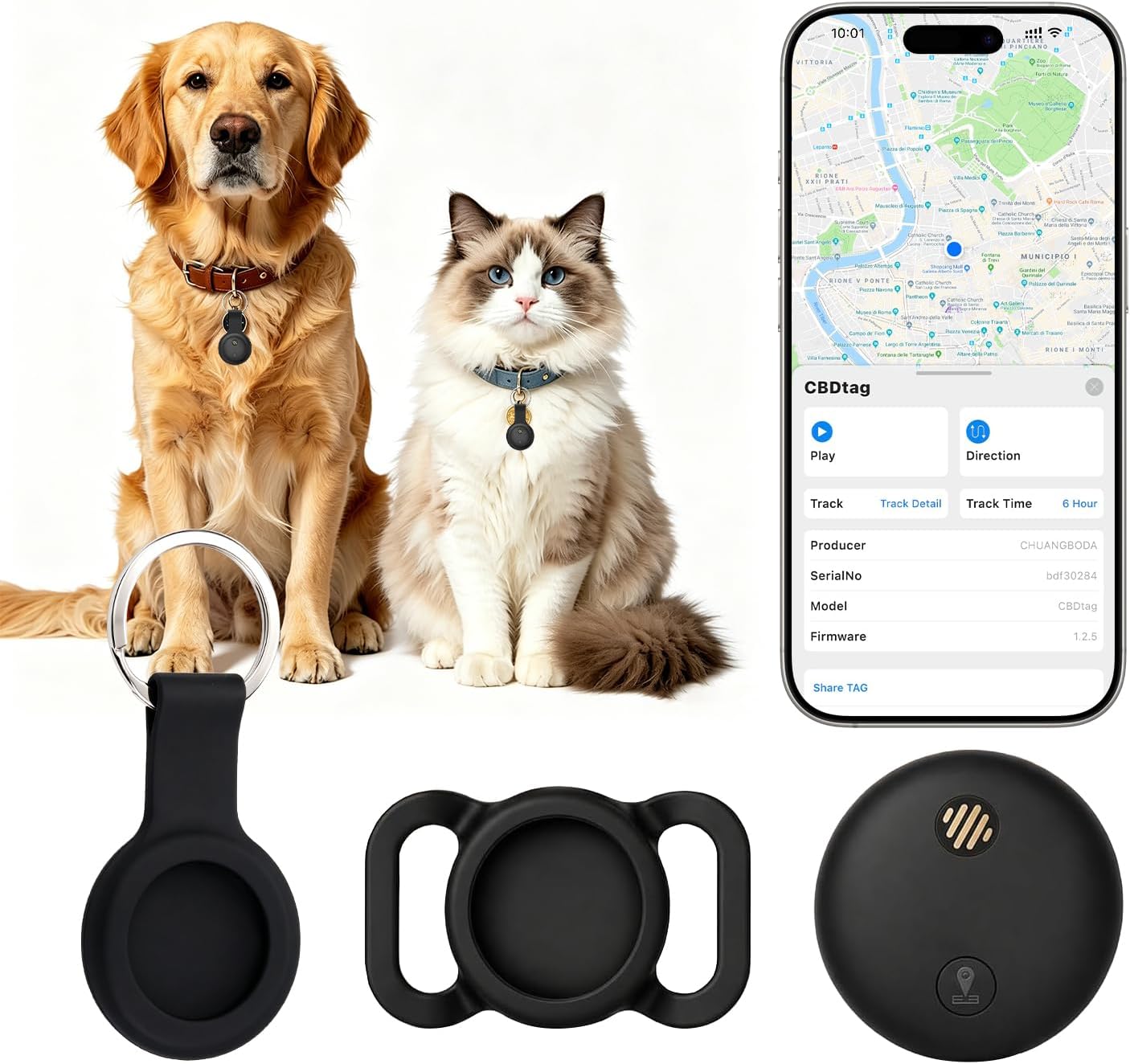
Budget pick: GPS Tracker for Dogs, Smart Dog Tracker with Real-Time Location, for Android and iPhone No Monthly Fee & No SIM Card- Pet Location Tracker with Holder, IP68 Waterproof, Indoor & Outdoor Pet Safety Use
 Visit on Amazon →
This is the unit I point people to when the subscription is the thing stopping them. No SIM card means no monthly fee and no auto-renewing plan to forget about, and it pairs with both Android and iPhone, so you are not locked into one phone ecosystem. The IP68 rating is the spec that matters most to me. Dogs swim, dogs roll in mud, and a tracker that is not sealed will be a dead tracker by the second creek crossing.
The holder is included, which sounds like a small detail until you have priced a replacement mount on its own. Check current Amazon price and confirm the holder and charging setup in the listing photos before you order, because accessory bundles change over time.
Flaws but not dealbreakers: A no-subscription tracker trades away some of the always-on reporting that a paid cellular plan buys you. Treat it as a recovery tool, not a live race tracker. The indoor positioning claim is the one I would take with a grain of salt, since indoor location is a different physics problem than open-sky GNSS.
Anyone who wants a working safety net without a three-year subscription commitment should start here.
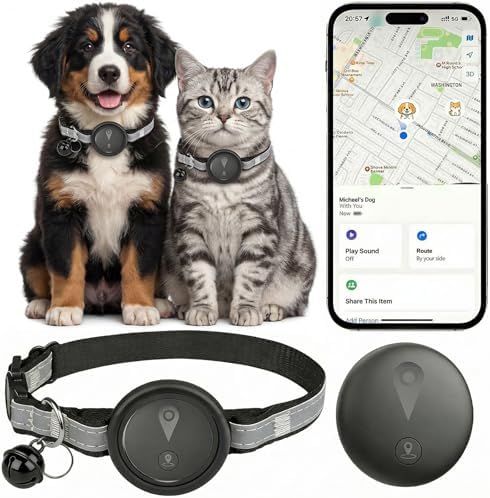
Runner-up: Tracker - Ideal for Small, Medium, and Large Pets
 Visit on Amazon →
The second option is positioned for small, medium, and large pets, which is the right framing for a household with more than one dog. If you have a terrier and a lab, the fit question is real: the same unit that sits flat on a wide collar band can swing and catch on brush on a narrow one.
Check current Amazon price, then read the size guidance closely, because a listing built for three size classes has to compromise somewhere. In my experience the compromise usually shows up in the strap or the holder, not the electronics.
Flaws but not dealbreakers: The listing name is sparse, which means you are doing more homework before you buy. Look for the waterproof rating, the attachment method, and whether the app shows a last known location without a live connection. If any of those three are missing from the description, ask the seller before you spend the money.
Anyone with multiple dogs at different sizes who wants one consistent setup across the household should look here.
The actual setup workflow
Now the part you came for. None of this requires a tool beyond a small screwdriver and a phone.
Step one: Fit the collar first, without the tracker. Put the collar on the dog, tighten it so two fingers slide under the band at the neck, and check that it does not rotate over the head when the dog shakes. Do this before you attach anything. Most "my tracker fell off" stories are collar-fit stories.
Step two: Mount high on the neck. The unit goes on the top of the collar band, high on the neck, not hanging under the chin. An antenna needs sky. A tracker dangling at the throat is blocked by the dog's own chest and jaw, and it is the first thing to catch on a branch.
Step three: Charge it fully and verify the indicator. Do not skip this. A tracker that arrives at 40 percent and goes on a dog the same afternoon will die at hour fourteen of a day hike, which is exactly when you need it.
Step four: Pair it and confirm it reports. Open the app, add the device, and wait for the first position fix. If the app shows nothing in the yard, do not proceed to the trail. Troubleshoot here, where you have wifi and a car.
Step five: Walk test. Walk the dog a hundred yards, then around the block. Watch whether the reported position tracks the actual position or lags a block behind. A lag is normal. A position that never updates is not.
Step six: Set the geofence around home. Draw the boundary tight to the yard, not the whole neighborhood. A geofence the size of a subdivision will not alert you until the dog is already through traffic.
Step seven: Test the alerts end to end. Turn the phone's silent mode off, confirm notifications are allowed, and trigger a test. An alert that lands in a muted notification tray is not an alert.
Step eight: Run a night drill. Leave the tracker in a bush at the edge of your property, walk home, and find it using only the app. Time yourself. This is the single most useful hour you will spend with the product, and it teaches you how the app behaves when the signal is bad.
Step nine: Record the identifier and photograph the mounted unit. Write the device identifier in your phone's notes and take a photo of the tracker on the collar. If the dog goes missing while you are at work, whoever is at home can read the identifier to you over the phone.
Recovery features: the part you arm before you need it
Live tracking is the feature people talk about and the feature that fails first in the backcountry. What saves the search is the boring stuff.
Last known location is the one I check first. It should display on the map without a live connection, because the moment your dog is out of range is the exact moment the app needs to show you a pin instead of a spinner. If a tracker's app requires a signal to display anything at all, that is a disqualifier for me.
Geofence alerts are second. They are not a fence and they will not stop a dog. They buy you minutes, and minutes are what turn an eleven-hour search into a twenty-minute walk.
The light is third and it is underrated. A triggerable light on the collar turns a black dog in dark timber into a visible dot from forty yards. Test the light every time you charge the unit, because that is the feature you will reach for at the worst moment.
Battery duty cycle ties it all together. Reporting every thirty seconds drains a battery fast; reporting every ten minutes keeps a unit alive for a full day of hiking. Set the interval based on your day, not on the marketing claim.
The competition and why it lost
Bluetooth finder tags are not dog trackers, no matter what the product page implies. They are key finders with a coin battery. The moment your dog leaves the yard and the phone connection drops, they show you nothing useful, and "unlimited range" claims on a Bluetooth device are marketing fiction. I have watched people buy them, lose the dog anyway, and then buy a real tracker a week later.
Cellular trackers from the big consumer tech brands are a different story. They are convenient, the apps are polished, and the coverage is genuinely good in cities. They also tend to trade battery life and recovery features for that convenience, and they come with a monthly plan. If your dog never leaves a suburban grid, that trade is reasonable. If your dog runs canyons, it is not.
Dedicated pet-GPS brands generally win on battery and recovery features for exactly that reason. They sell survival, not convenience.
What this all costs
Here is the math I run for every dog owner who asks me whether the subscription is worth it.
A cellular plan at ten to fifteen dollars a month is $360 to $540 over three years. That is more than the tracker itself, usually by a lot, and it renews whether or not your dog ever leaves the yard. Add the device, a spare mount, and a replacement charging cable your dog chews through, and the three-year number climbs again.
A no-fee unit flips that structure. You pay once, you own the setup, and the ongoing cost is a charging cable and your own attention to the battery. The tradeoff is reporting frequency, and for most owners that trade is fine, because the feature that brings a dog home is a last known location, not a live dot that updates every fifteen seconds.
Whichever route you take, budget for the accessory that fails first: the mount. Two of the trackers I have found in the woods were still running when I picked them up.
The short version
Fit the collar before you attach anything. Mount the unit high on the neck where it can see the sky. Charge it fully, pair it in the yard, walk test it, tighten the geofence, and confirm your alerts actually reach you. Then run the night drill, because the drill is what turns a gadget into a plan.
Do that once, write down the identifier, and your tracker stops being a purchase and starts being a lifeline. The dog was always going to run. The only question is whether you are ready when it does.